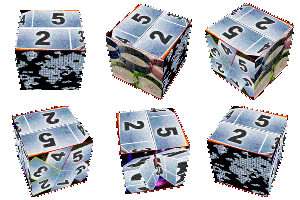
This theme I have been asked by Laurence. It simply consists in 4 scenes on screen at the same time that Studio does not allow to do natively. As it was really simple, I've added the ability to adjust the size of the scenes and of their border. It is possible to select backgrounds, if you have already installed them), or a default, leave the Null value, and place the montage theme on the overlay track, with the background of your choice located on the main track just below!
//
Informations :
Position:global
(single)
duration:25 secondes (stretchable)
Settings
4 Drop Zones contain photos or video
Photo is a drop-down list of choice to select a fixed background image.
Movie to select motion background. If you want to put your own background, put the montage theme in track 2, and select Null for the parameters Photo and Movie
Color is used to apply a color on fixed or motion backgrounds selected using Photo or Movie. In particular, if Photo is Uni and Movie is Null you will obtained plain background color